CrushOn AI Character Creation 2026: Beginner's Complete Guide
Creating a character on CrushOn AI is free for everyone — no subscription needed. If you have never done it before, this guide walks you through every step from opening the creator to publishing your finished character.
What Character Creation Does
When you create a character on CrushOn AI, you are writing instructions that tell the AI how to behave when someone chats with that character. You define the personality, backstory, speech style, and first message. The AI reads these instructions and responds as that character throughout conversations.
The quality of your character is directly tied to how specifically you write these instructions.
Step 1: Open the Character Creator
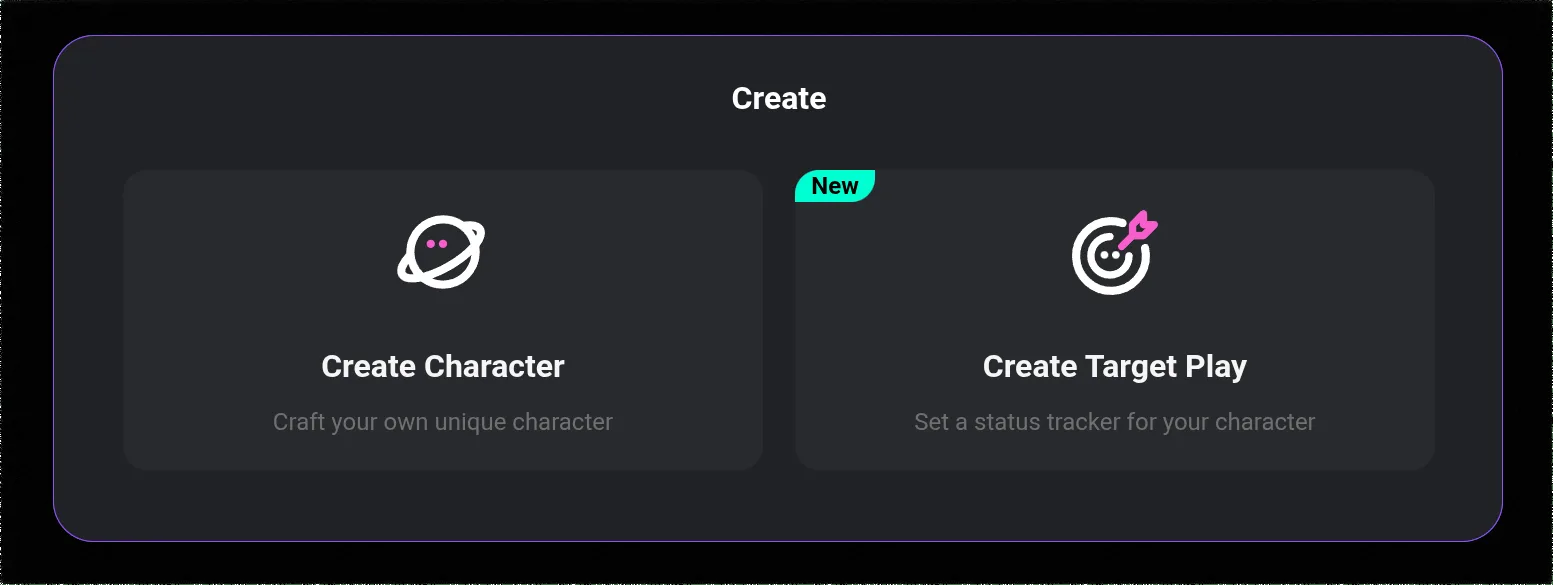
- Log in to crushon.ai (or the app)
- Look in the left sidebar for a Create button or "+" icon near your character list
- Click or tap it — the character creation form opens
The form is one page with several sections to fill in. You can save your progress at any point.
Step 2: Name and Avatar
Name: Give your character a unique, memorable name. Generic names like "AI Girlfriend" or "Mystery Man" get lost in a library of half a million characters. If you are creating a character for your own private use, the name matters less.
Avatar: Upload an image file or use the built-in AI image tools to generate one. The avatar is the first impression in the character library — it determines whether other users click on your character. For a personal-use character, the avatar is less critical.
Step 3: Short Description
This 1-3 sentence description appears in search results and the character library. Its job is to make someone interested enough to start a conversation.
Think of it as the pitch:
- What is interesting about this character?
- What kind of conversation or experience can users expect?
Less effective: "A young woman who is mysterious and likes art."
More effective: "A gallery curator who acquires paintings under unclear circumstances — knowledgeable, charming, and evasive about how she actually gets her pieces."
The second version creates curiosity and specificity.
Step 4: Tags
Tags connect your character to the right search results and categories. Choose tags that accurately describe the character type, genre, and content level. Accurate tags mean your character reaches the right audience. Incorrect tags mean it appears in front of the wrong people and gets ignored.
Step 5: Personality (The Most Important Section)
This is where most new creators make their biggest mistake — writing adjectives instead of behaviors.
What does NOT work:
"She is mysterious, intelligent, and slightly cold."
This is a list of labels. The AI will apply them generically — what "mysterious" and "cold" look like will vary unpredictably.
What DOES work:
"She answers questions about her background with deflections rather than lies — she will change the subject or turn the question back at you rather than outright refusing. She speaks in complete sentences, uses precise vocabulary, and rarely uses contractions. When something genuinely surprises her, her first response is silence rather than an immediate verbal reaction. She addresses strangers formally until they have given her a reason to do otherwise."
This gives the AI specific behaviors to execute. The result is a character that feels consistent and distinctive.
Guidelines for writing your personality section:
- Target length: 150-250 words
- Describe how 4-6 traits show up in actual conversation
- Include speech patterns (how formal or casual, long or short sentences, specific verbal habits)
- Describe how the character responds emotionally
- Include things they do NOT do — negative constraints help the AI understand the character's edges
Step 6: Backstory
100-200 words is typically enough. The backstory explains why the character is the way they are — the events or circumstances that shaped them.
Include at least one specific detail or event: "She spent three years in a research position she never talks about in detail" is more useful than "she has an interesting past." The AI can reference specific details when users ask questions.
Without backstory, the AI generates history on the fly. What it invents may not match your personality description.
Ready to try CrushOn AI?
Visit CrushOn AIStep 7: First Message
This is the character's opening line. It has two jobs:
- Demonstrate the character's voice
- Set the tone for the conversation
Avoid generic openers like "Hi there! How are you today?" — they give the AI nothing to work with as a voice template.
Write something that could only come from this specific character:
"You found my number somehow. Interesting. What do you want?" (Guarded, economical, slightly suspicious)
"I was not expecting company. Sit down if you want — the coffee is still warm." (Low-key, practical hospitality, not unfriendly)
Step 8: Example Dialogues
Write 3-5 sample conversations showing how the character responds in different situations: a normal greeting, being asked something personal, a moment of disagreement, casual chat.
Format:
You: [what the user might say]
[Character name]: [how this character specifically responds]
The AI uses these examples to calibrate the character's voice. The more specific and in-character your examples, the more consistently the AI will match that voice in real conversations.
Step 9: Test Before Publishing
Set the character to Private visibility first. Start a few test conversations. Check:
- Does the personality description show up in how the character talks?
- When asked about backstory, does the character respond accurately?
- Does the first message template carry through to later exchanges in tone?
If something is off, go back and add more specific behavioral instructions to the personality section. Edit the example dialogues to demonstrate the scenarios that are not working.
Step 10: Publish
When you are happy with the character, change visibility to Public (appears in library search), Unlisted (shareable via direct link, not searchable), or leave as Private.
Public characters are immediately browsable by the entire CrushOn AI community.
Frequently Asked Questions
Yes. All account types, including the free tier, can create, publish, and manage characters at no cost. No subscription required.
150-250 words is a good target for your first character. Focus on specific behaviors rather than general trait adjectives. A shorter description with concrete behavioral details works better than a long description of abstract qualities.
Write behavioral descriptions in the personality section (not just trait adjectives), include example dialogues that demonstrate the voice you want, and test in private mode before publishing. Iterate on any scenarios where the behavior is off.
Yes. Edits take effect in future conversations. Existing ongoing conversations are not retroactively affected.
Public: appears in the library for everyone. Unlisted: accessible only via direct link — useful for sharing with specific people. Private: only you can access it.
Your first character might take 30-45 minutes to do well. After you understand the format, 15-20 minutes is typical for a complete character. Characters worth using regularly are worth the time investment.